Avaya Communication Manager Messaging
Home Getting StartedAdministrationMaintenanceReference

Search This CD

Index

Contact Us


Home > Administration > Basic Messaging Administration > System-Parameters Thresholds Screen

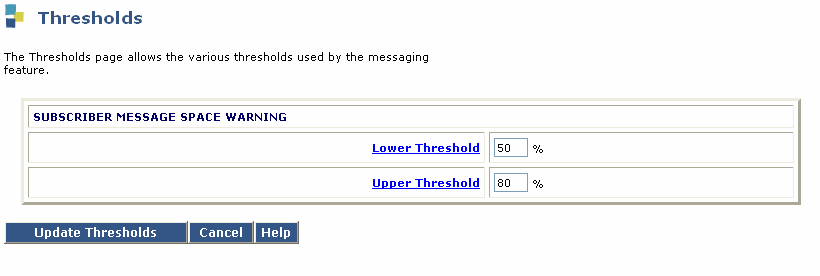
Thresholds page


Table: Field Definitions: Thresholds page
Field Name
Valid Input
Description/Procedure
SUBSCRIBER MESSAGE SPACE WARNING
Lower Threshold:
0–100
Default: 50
The lower threshold for the message space in a subscriber's mailbox. This value is a percentage of the subscriber's mailbox space. When this threshold is reached, a warning message is issued to the subscriber upon login to his or her mailbox.


Recommended values are 50% for small mailboxes (less than 9 minutes) and 80% for larger mailboxes.

Upper Threshold:
0–100
Default: 80
The upper threshold for the message space in a subscriber's mailbox. This value is a percentage of the subscriber's mailbox space. When this threshold is reached, a warning message is issued to the subscriber upon login to his/her mailbox.


Recommended values are 80% for small mailboxes (less than 9 minutes) and 95% for larger mailboxes.

Top of page

  Search This CD     Index     Contact Us
� 2002-2009 Avaya Inc. All rights reserved.