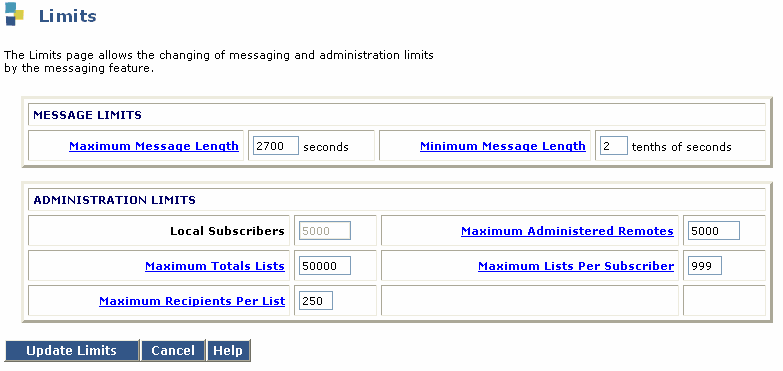
|
Field Name |
Valid Input |
Description/Procedure |
| MESSAGE LIMITS |
| Maximum Message Length: |
10800 (180 minutes) |
Enter the length, in seconds, of the longest message that can be created. Maximum message lengths for individual subscribers can be further restricted on the Class of Service and Subscriber screens. |
| Minimum Message Length: |
Valid values:1 through 99 Default: 10 |
Use this field to enter the length of the shortest message that the messaging system will recognize as a message. All values must be in tenths of seconds. |
| ADMINISTRATION LIMITS |
|
Subscribers, Local: |
15000 |
This field displays the maximum number of subscribers that can be administered on the messaging software system. The value is determined when you purchase or upgrade your system and can only be changed by technical support engineers. |
| Subscribers, Administered Remote: |
1000 |
Enter the maximum number of remote subscribers that can be administered on this messaging software system. |
| Lists, Total Entries: |
Default: 50000 |
Enter the total number of entries allowed in all subscribers' lists.
|
| Lists/ Subscriber: |
Default: 100 |
Enter the maximum number of lists allowed per subscriber. |
| Recipients/List: |
Default: 250 |
Enter the maximum number of entries (recipients) allowed per subscriber list. |