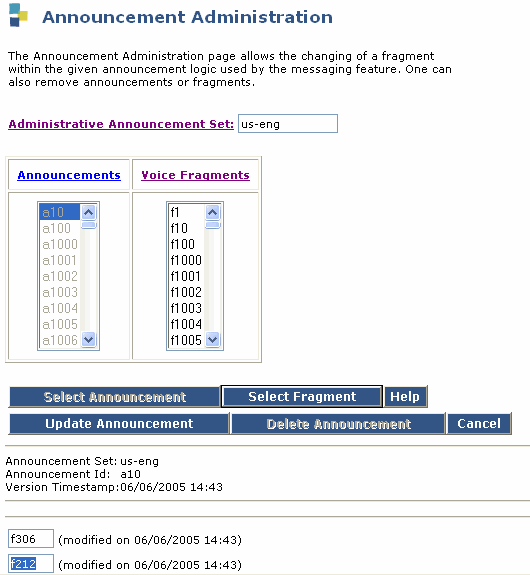
Table: Field Definitions: Announcement Administration page
|
Field Name |
Valid Input |
Description/Procedure |
|
Announcement Set: |
Display only |
- If you used the command change or remove, the administrative announcement set name.
- If you used the command display, the set you entered on the command line or the administrative announcement set name specified on the System Parameters Features screen if you did not enter anything.
|
|
Announcement Id: |
Display only |
The announcement ID entered on the command line. |
|
Version Timestamp: |
Display only |
The time and date the announcement was last updated. |
|
Mod? |
Display only |
-
y or n, if the recorded fragment on the line has changed.
- Blank for lines that are a continuation of the previous line or for lines that cannot be edited.
|
|
Frag |
f0 to f5000 |
The number of the fragment to be included in the announcement. |