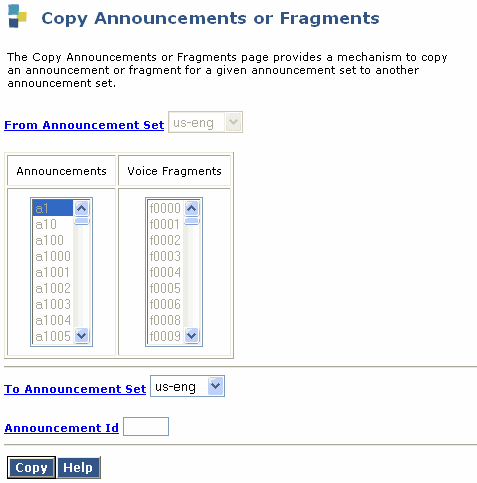
Table: Field Definitions: Copy Announcements or Fragments page
|
Field Name |
Valid Input |
Description/Procedure |
|
From Announcement Set: |
1 to 14 alphanumeric characters |
The name of the announcement set from which the fragment is copied. |
|
Fragment: |
f1–f5000 |
The number of the fragment to be copied. |
|
To Announcement Set: |
1 to 14 alphanumeric characters |
The name of the announcement set into which the fragment is copied. The default is the From announcement set. |
|
Fragment: |
f1–f5000 |
The number of the destination fragment. |
|
Announcement ID: |
All announcement IDs must start with an "a" followed by a numeric value. The value can be any number from 1 through 5000. An example of an announcement ID is, a105. |
Use this field to enter an identifier for the announcement. |