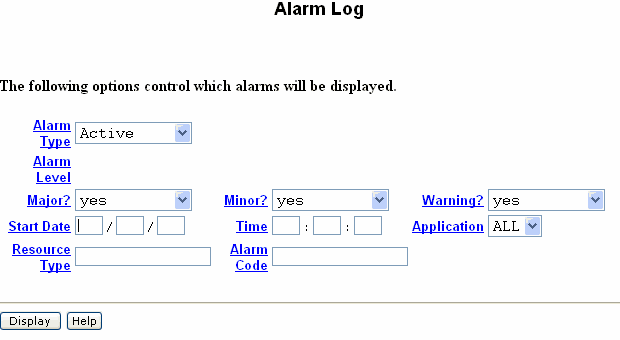
Table: Field Definitions:
Alarm Log page
|
Field Name |
Valid Input |
Description/Procedure |
|
Alarm Type: |
active
resolved |
The selected alarm type
in the report. |
|
Alarm Level:,
Major?,
Minor?,
Warning? |
y = yes
n = no |
Type y to display
the alarm level or n to omit that alarm
level from the report.
You can request major alarms,
minor alarms, warnings, or any combination thereof. |
|
Start Date: |
Blank
Date (mm/dd/yy) |
The date for the alarm report
begins. If you leave this field blank, the system
displays all recorded alarms of the type specified
in the Alarm Type: field. |
|
Time: |
Blank
Time (hh:mm) |
The hour and minute that
you want the alarm report to begin. The Start
Date: field must have a valid entry before
you can enter the time. If you leave this field
blank, the system displays all alarms for the
specified start date. |
|
Application: |
Blank
AS, MT, SM, VM, or VP |
The two-character application
code for the report entry:
(blank) All applications
AS= Access Security Gateway
MT = Maintenance
SM= Station Manager
SW= Switch Integration
VM = Messaging
VP = Voice Platform
|
|
Resource Type: |
Blank
A resource type |
A specific type of alarmed
resource for the alarm report, such as alarm_orig,
mirror, netwk_bd.
For a list of valid entries,
see Alarms and
Events. If this field contains a
resource type, only alarms related to the specified
resource type are displayed. If you leave this
field blank, all resource types are included
in the report.
Note:
If you use a specific resource type, note
the alarm code that is listed with it. You will
also need to enter that information on this
page. |
|
Alarm Code: |
From 0 to 999 |
The alarm code that corresponds
to the resource type.
If you did not enter a resource
type, you can enter an alarm code. In this case,
the report will contain multiple resource types
with the same alarm code. |