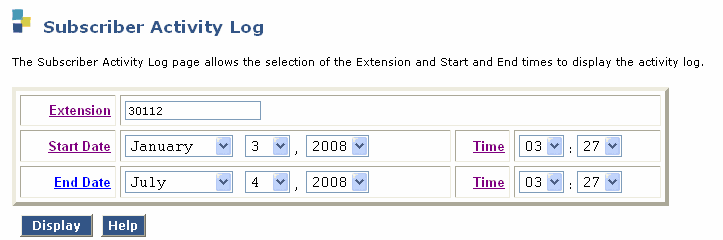
Table: Field Definitions:
Subscriber Activity Log page
|
|
Valid Input |
Description/Procedure |
|
Extension: |
Valid extension number |
Use this field to enter the extension number of a subscriber on this system.
|
|
Start Date : |
|
.
Use this drop-down list to select the month, day, and year you want to start viewing subscriber information |
|
End Date: |
|
Use this drop-down list to select the month, day, and year you want to stop viewing subscriber information.
|
|
Time: |
|
Use these drop-down lists to select the time you want to view subscriber information. You can select hours and minutes. |
|
Display: |
|
.Use this button to refresh the display of the activity log |