Avaya Communication Manager Messaging
Home Getting StartedAdministrationMaintenanceReference

Search This CD

Index

Contact Us


Home > Maintenance > Voice Equipment Diagnostics > Diagnosing the Voice Equipment > Diagnose Equipment Page

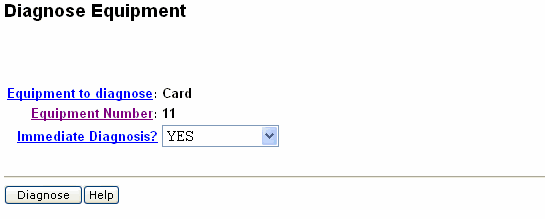
Diagnose Equipment Page

Table: Field Definitions: Diagnose Equipment Page
Field Name
Description/Procedure
Equipment to diagnose
Displays the equipment to diagnose as Card.
Equipment Number

Specifes the number of the card.

Immediate Diagnosis?

Immediate diagnosis takes specified channels out of service immediately even if a call is in progress. Select NO to wait until all specified channels are idle before beginning the diagnosis.

Note:
Selecting YES in the Immediate Diagnosis? field disconnects calls in progress. Do not select YES unless call traffic is extremely low. Diagnosing voice cards only when they are free of calls can take longer, but no calls are disconnected.

 

Top of page

  Search This CD     Index     Contact Us
� 2002-2009 Avaya Inc. All rights reserved.