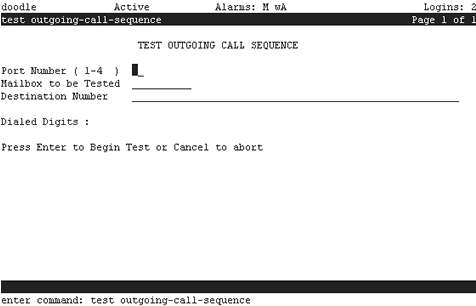
Table: Field Definitions: Test Outgoing Call Sequence Screen
| Field Name |
Valid Input |
Description |
| Port Number |
Any port number less than or equal to the number of ports purchased |
The field allows you to direct a test call to a specific voice port. It can be used to detect problems that arise from different restriction levels among voice ports. This field is optional. If no value is entered, any available port will be used. |
| Mailbox to be Tested |
Any valid mailbox number |
This field allows you to specify a subscriber's mailbox for the test. This subscriber's account code is included in the Dialed Digits: field.
|
| Destination Number |
A combination of:
- Any valid on-premises, local, long distance, or international telephone number
- Any additional commands, listed at right
|
A Destination Number must be specified for this test to run. |
| Dialed Digits: |
Display only |
The digits and pauses to be tested. The system displays this field after you press Enter to begin the test. |