

|
|
|
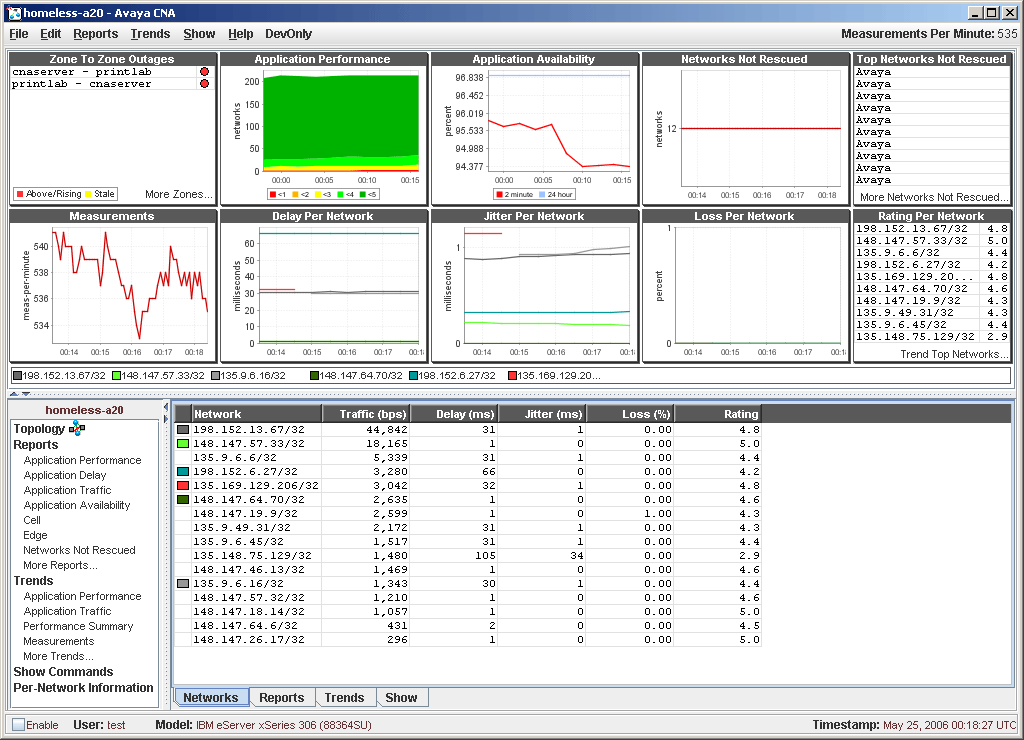
When the log-in window closes, the system displays the CNA application, which is called the control panel.
The control panel includes three major areas.
Figure 8: The CNA control panel
You can use the CNA Web interface to execute many CLI commands, some commands require privileged-level access to the device. The first time that you attempt to execute one of these protected commands, the system displays a dialog box that requests the enable password. Once you enter the enable password correctly, you can issue all privileged-level commands without additional authentication. The Enable checkbox at the lower-left of the control panel is selected. To exit enable mode, click Enable.
|
|
|