Modular Messaging Help
|
Modular Messaging Help |
|
| Home > MAS Administration > Using the schedule grid |

|
Using the schedule grid |
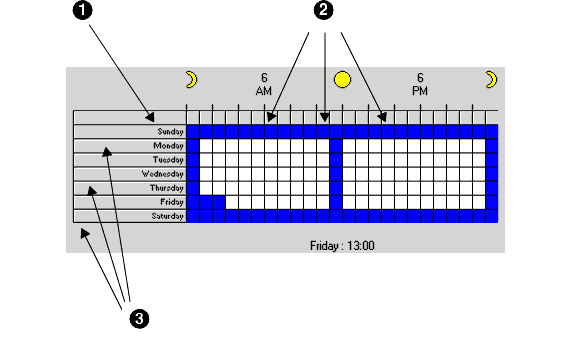
Use the schedule grid to set a time or block of time for the node connection. The grid has the weekdays along the y-axis and the time of day along the x-axis. Cells on the grid represent a time interval, either 1 hour or 15 minutes depending on the current selection under View detail.
A cell can have one of two states, on (blue) or off (white). Clicking on a cell toggles its state. In each cell represents a quarter of an hour. If you select 15 Minute under View detail, the system displays a scroll bar, which you can use to view all the cells, below the grid.
Use the figure below and the following tips to familiarize yourself with how the grid works.
 |
|
|