For IIS Web Servers
Important: You must have accounts in the domain of your IIS server.
- Go to control panel/Administrative Tools/Internet Services Manager and select the directory you created to hold the backups.
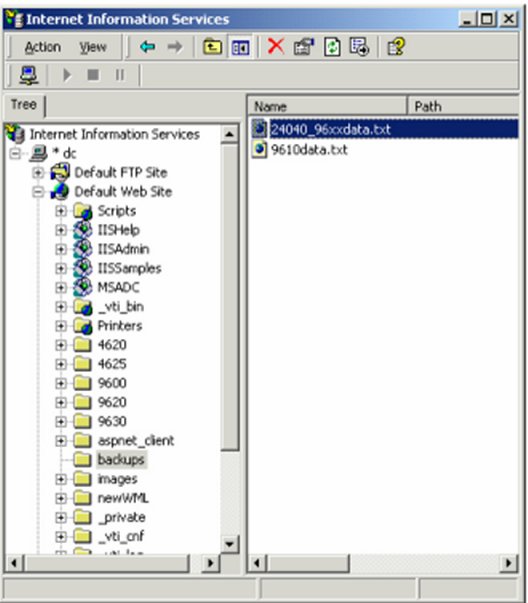
- Right click and select Properties.
- Select Directory and enable write access.
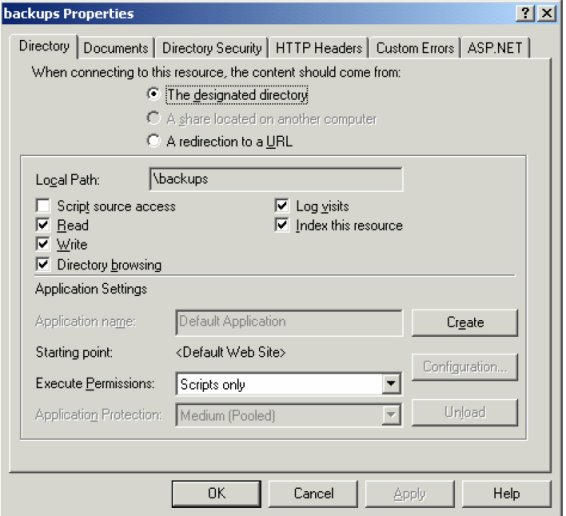
- Select Directory Security.
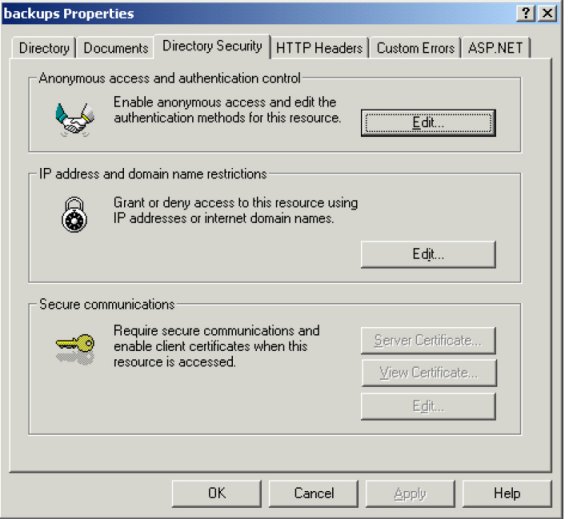
- Select Directory Security/Anonymous access and authentication control/Edit.
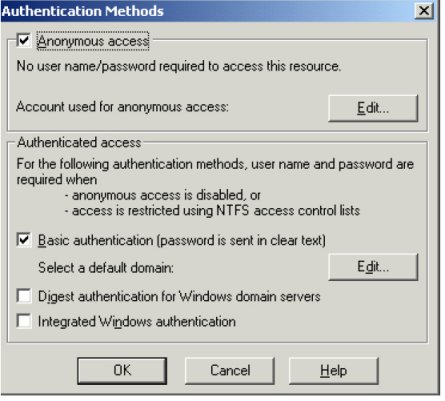
- Select Basic authentication (password is sent in clear text).
- Click Edit next to Select a default domain:
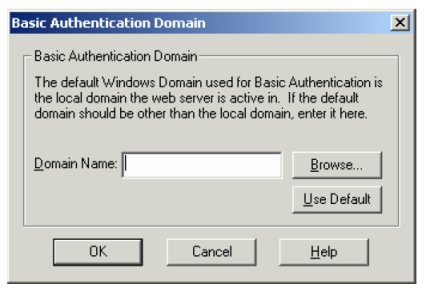
The domain name should be blank.
- Press OK several times to accept your settings.
- Stop and restart the Web server. Right click on the default Web server.
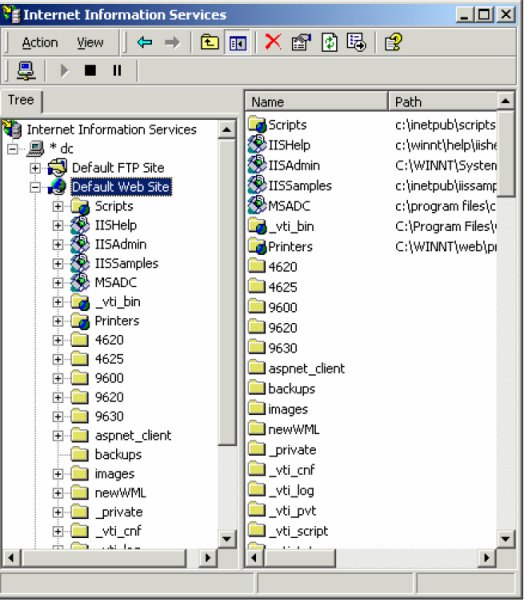
- Select Stop.
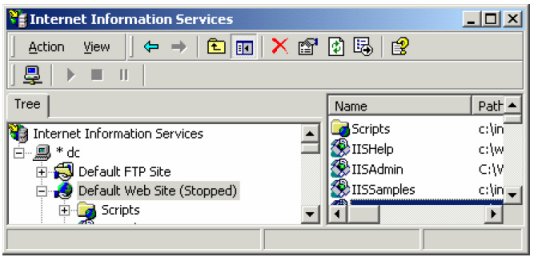
- Right click again and Select Start.
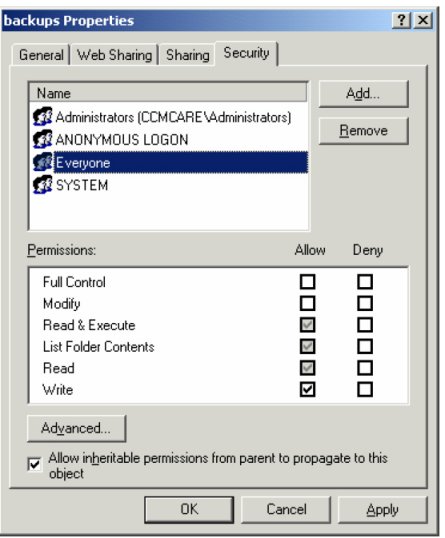
- Open Explorer and find the directory. Right click and open properties. Ensure that all of your telephone users have write permission in this directory.
- Now have your users do a manual backup. They will be prompted for their user id and password.
When each backup completes successfully, the telephone will remember the userid and password and automatic backups will proceed normally.

