Previous page Next page

Back up the media server to PCMCIA flashcard���

The following administration is done on a computer used to access the active media server using the media server Web interface.

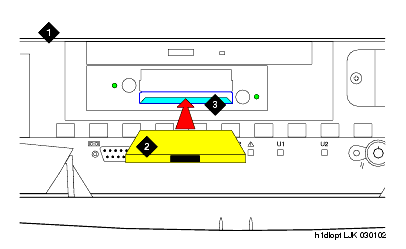
  1. Place the PCMCIA flashcard into the bottom slot of the PCMCIA drive in the active media server.


Figure notes

1 Media Server
2 PCMCIA flashcard
3 Bottom slot of PCMCIA drive

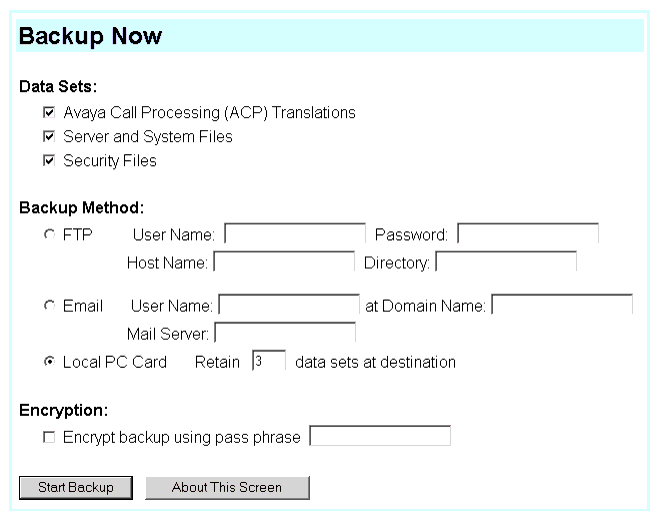
  1. Click Backup Now and select all applicable data sets.

    Select "Save ACP translations prior to backup" to save translations to the media server's system disk before backing up the data.

NOTE: Customer's may want to back up using another method.�


  1. Select Local PC card as the backup method.
  2. Click Backup now to back up all data to the PCMCIA flashcard.

Previous page Next page