Modular Messaging Help
|
Modular Messaging Help |
|
| Home > MAS Administration > Voice Mail System Configuration Window |

|
Voice Mail System Configuration Window |
You can use the Voice Mail System Configuration (VMSC) application to define how Messaging Application Servers (MASs) in a Voice Mail Domain (VMD) interact with other parts of the messaging environment.
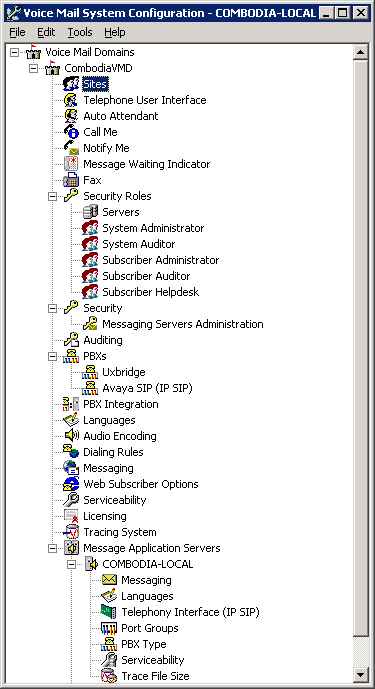
On your Windows desktop, click the Start > Programs > Avaya Modular Messaging > Voice Mail System Configuration menu to launch the Voice Mail System Configuration window. See , below.
The Voice Mail System Configuration window has a tree structure so that you can access configuration screens for each voice mail domain and each MAS within the voice mail domain. Properties can be configured on three levels. At Voice Mail Domain level properties are shared across MAS groups in a voice mail domain. At Message Application Server level properties are specific to an MAS. In a MultiSite-enabled voice mail domain, the properties can also be configured for each site. See VMSC - Voice Mail Domain Nodes & MAS Nodes.
For an overview of the MultiSite feature and a detailed description of the concepts underlying MultiSite, such as sites and translation rules, see the Avaya Modular Messaging MultiSite Guide.
The window has a top menu bar and some right-click menus. These are enabled depending on which node is selected in the tree. See VMSC Menu Commands.
 |
|
|