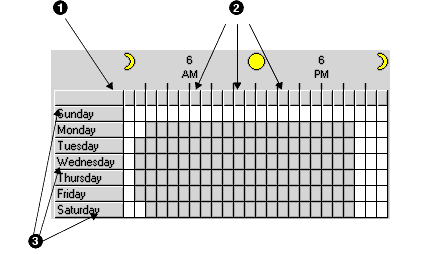
- Click on a row header to toggle the state of the first cell in the row and set all of the other cells in the row to the same state.
- Click on a column header to toggle the state of the first cell in the column and set all of the other cells in the column to the same state.
- Click on a cell and drag the mouse cursor over other cells to change the other cells to the same state as the first.
- Click on the top left cell to change all cells to the same state as the top left cell.
- Use the ‘5 minutes’, ‘15 Minutes’ to ‘1 Hour’ buttons to show cells enabled for the full hour or as partially selected.