Web Agent Procedure
To add or delete interfaces to an NBP filter using the Web Agent:
- In the navigation pane, expand the Routing > AppleTalk > Configuration folders, and then click NBP Filter.
The AppleTalk NBP Filter Web page is displayed in the content pane. See Figure�19-14.
- Select Edit If. The Add/Delete Interface to NBP Filter Web page is displayed. See Figure�19-15.
Figure 19-15. Add/Delete Interface to NBP Filter Web Page
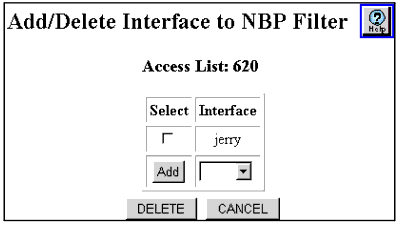
- Select the interface to be added from the Add field pull-down menu.
Or
Click an interface from the Select column for the interface that you want to be remove.
- Click:
- Add to add this NBP filter to the selected interface.
- DELETE to remove this NBP filter from the selected interface.
- CANCEL to restore previous settings.

