Web Agent Procedure
To view AppleTalk route table statistics using the Web Agent:
- In the navigation pane, expand the Routing > AppleTalk > Display folders, and then click Route Table Statistics.
The AppleTalk Route Table Statistics Web page is displayed in the content pane. See Figure�19-22.
Figure 19-22. AppleTalk Route Table Statistics Web Page
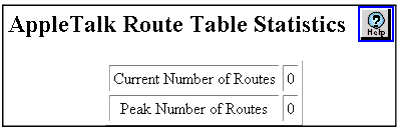
- See Table�19-8 for information on AppleTalk Route Table Statistics Web page parameters:
Table 19-8. AppleTalk Route Table Statistics Web Page
| Parameter |
Definition |
| Current Number of Routes |
Displays the current number of AppleTalk routes. |
| Peak Number of Routes |
Displays the peak number of AppleTalk routes. |
| END |

