Enabling AppleTalk Global Routing
To enable AppleTalk routing globally:
- In the navigation pane, expand the Routing > AppleTalk > Configuration folders, and then click Global Configuration.
The AppleTalk Routing Global Configuration Web page is displayed in the content pane. See Figure�19-1.
* Note: AppleTalk Routing is disabled by default.
Figure 19-1. AppleTalk Routing Global Configuration Web Page
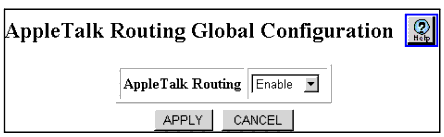
- Select Enable from the AppleTalk Routing pull-down menu.
- Click APPLY to save your changes, or CANCEL to restore previous settings.

