|
|
|
To view the AppleTalk zone table using the Web Agent:
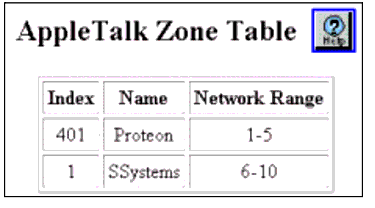
The AppleTalk Zone Table is displayed in the content pane. See Figure�19-24.
Figure 19-24. AppleTalk Zone Table�
| Parameter |
Definition |
|---|---|
| Index |
Displays the zone index. |
| Name |
Displays the zone name. |
| Network Range |
Displays the network range associated with the zone. |
| END | |
|
|
|