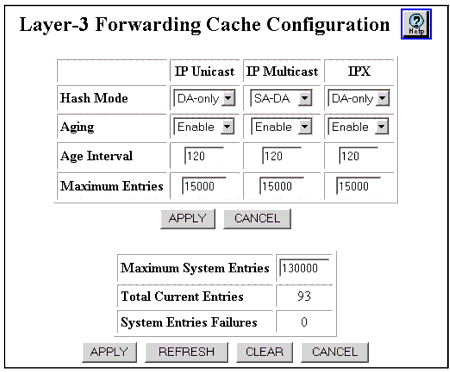
Table 22-1. Layer-3 Forwarding Cache Configuration Web Page Parameters for Tree Configuration
| Field... |
For the protocol... |
Allows you to... |
| Hash Mode |
IP Unicast (IPU) IP Multicast (IPM) IPX |
Configure the table hash lookup mode for the IP unicast, IP multicast and IPX protocols. The options are:
- DA-only - Forwarding entries input to the forwarding table are limited to using protocol destination address only.
- SA-DA - Forwarding entries input to the forwarding table are limited to using destination and source address only.
|
| Aging |
IP Unicast IP Multicast IPX |
Configure the IP unicast, IP multicast, or IPX protocols forwarding table entry aging status as either Enable (default) or Disable. |
| Age Interval |
IP Unicast IP Multicast IPX |
The IP unicast, IP multicast, or IPX protocols forwarding table entry aging period (in seconds). The valid range is 20-360 seconds. The default value is 120 seconds. |
| Maximum Entries |
IP Unicast IP Multicast IPX |
The number of active entries in the IP unicast, IP multicast, or IPX protocol forwarding table. This is the maximum number of active entries per fabric port. Additional flows are forwarded by the supervisor module. The default value is 15000. |
| END |