Displaying the IP Routing Table Statistics
To display the IP Routing Table Statistics:
- In the navigation pane, expand the Routing > IP > Display folders, and then click Route Table Statistics.
The IP Routing Table Statistics Web page is displayed in the content pane. See Figure�12-22.
Figure 12-22. IP Route Table Statistics Web Page
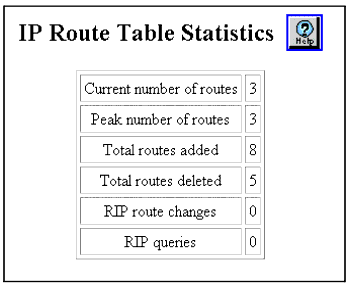
See Table�12-13 for a definition of the IP Routing Table Statistics Web page parameters:
Table 12-13. IP Routing Table Statistics Web Page Parameters
| Parameter |
Definition |
| Current Number of Routes |
Displays the total number of active routes. |
| Peak Number of Routes |
Displays the peak number of routes. |
| Total Routes Added |
Displays the total number of routes added. |
| Total Routes Deleted |
Displays the total number of routes deleted. |
| RIP Route Changes |
Displays the number of changes to the IP route database made by RIP. |
| RIP Queries |
Displays the number of RIP queries sent to the network. |
| END |

