To view the Active Alarm Table using the Web Agent:
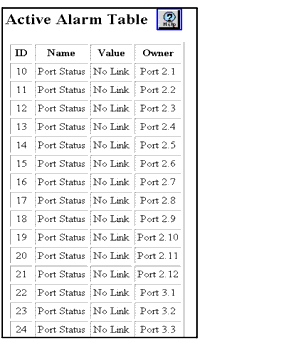
The Active Alarm Table is displayed in the content pane. See Figure�21-1.
Figure 21-1. Active Alarm Table Web Page