Previous page Next page

Enabling Redundant Hardware

Web Agent Procedure

To enable redundant hardware using the Web Agent:

  1. In the navigation pane, expand the System > Configuration folders, and then click Switch Fabric.
  2. The Switch Fabric Status Web page is displayed in the content pane. See Figure�10-3.

Figure 10-3. Switch Fabric Status Web Page
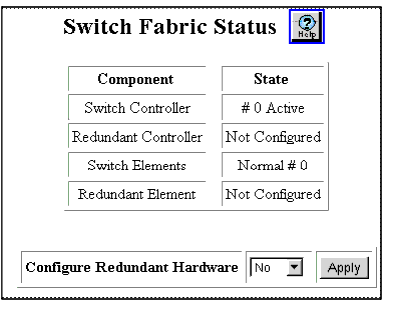

  1. Select Yes from the Configure redundant Hardware field pull-down menu.
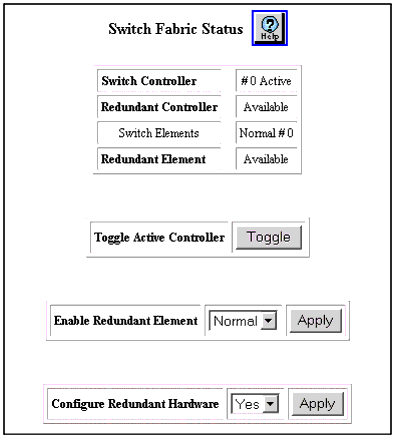
  2. Click APPLY. The Switch Fabric Status should now show the redundant controller and element Available. (Figure�10-4)
  3. Save the configuration.

* Note: If you disable and then reenable redundant hardware after the Primary controller fails, the state of the failed controller changes from Failed to Available.

Figure 10-4. Switch Fabric Status Web Page


Previous page Next page