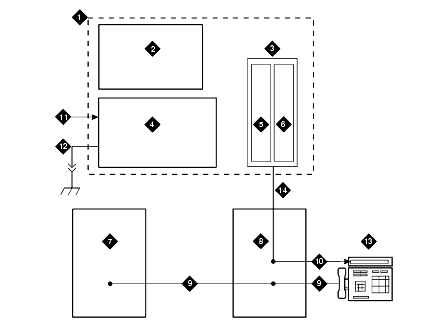
Wire endpoints to the 1146B2 while power from the 1145B2 is on. A red LED lights if its associated circuit is connected to shorted wiring or to a shorted telephone.
Install cross-connect jumpers to wire from the unit (the label shows polarity) to Pins 7 and 8 of the appropriate information outlet. Route the wires through the clip provided on the unit. If a red LED is on, see Reset LEDs on Power Distribution Unit. See Typical Wiring to a Telephone.
Mark lead destinations on the label next to each connector. Also mark the Unit Number and Connectivity information on the label.