 |
 |
 |
 |
 |
 |
 |
 |
 |
 |
Made Easy Tool for DEFINITY Media Server Configurations
Issue 4, May 2002
R5/R6/R7/R8si to Avaya MultiVantage
Replace TN772 duplication interfaces with the TN792 duplication interfaces (R6si or earlier) [Avaya MultiVantage si]
- Remove the TN772 Duplication Interface circuit packs and place them in antistatic packing material.
- Insert the TN792 Duplication Interface circuit packs into the slots labeled DUPN INTFC.
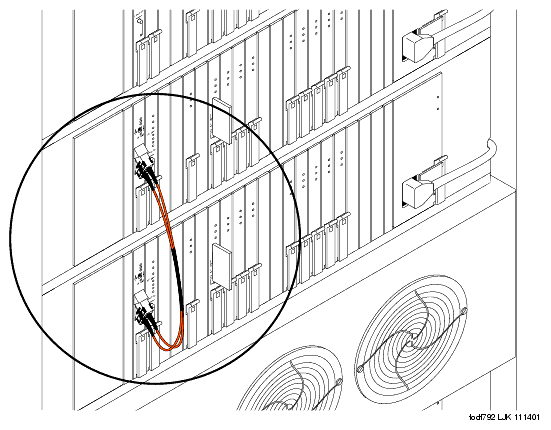
- If the carrier is located in a Multicarrier Cabinet (MCC1), attach the 14-in. fiber optic cable to the faceplates of the installed TN792 Duplication Interface circuit packs (see Fiber optic cable connecting the two TN792 duplication interface circuit packs (multicarrier cabinet only)).
or
If the carrier is in a Single-Carrier Cabinet (SCC1), then attach the 10-ft fiber optic cable to the faceplates of the installed TN792 Duplication Interface circuit packst.
Leave the existing duplication cables connected to the backplane. The fiber optic cable connecting the new TN792 Duplication Interface circuit packs does not replace these cables.
Fiber optic cable connecting the two TN792 duplication interface circuit packs (multicarrier cabinet only)
|
|
|
|
|
|
|
|
|
|
| Copyright� 2002 Avaya Inc. |
| Send comments to MadeEasy Development Team |
| Always check at the Made Easy Web site for the most current information. |