| Doc ID |
|
DOCS100992 |
| Version: |
|
6.0 |
| Status: |
|
Published |
| Published date: |
|
08 Aug 2025 |
| Created Date: |
|
14 Apr 2022 |
Details
Please, read the following note prior making any decision on purchasing headsets:
The aim of this article is not to recommend or certify a particular headset is going to work with ACO. ALWAYS check with the headset vendor if it is compatible to Avaya J100 series phones or to your PC. Avaya is not responsible for certifying or recommending headsets. The main goal for this article is to give ACO users a starting point to search for compatible headsets. Avaya does not maintain a list of supported headsets for the ACO, as vendors continue to release new products on an ongoing basis. For more complete integration including call control with USB headsets vendors such as Poly (formerly Plantronics), Jabra and EPOS (formerly Sennheiser), please reach out to vendor's support.
Relevant Articles:
Headsets overview for Avaya Cloud Office Apps
J100 Headset Profile
Follow some vendors for checking some headset offer:
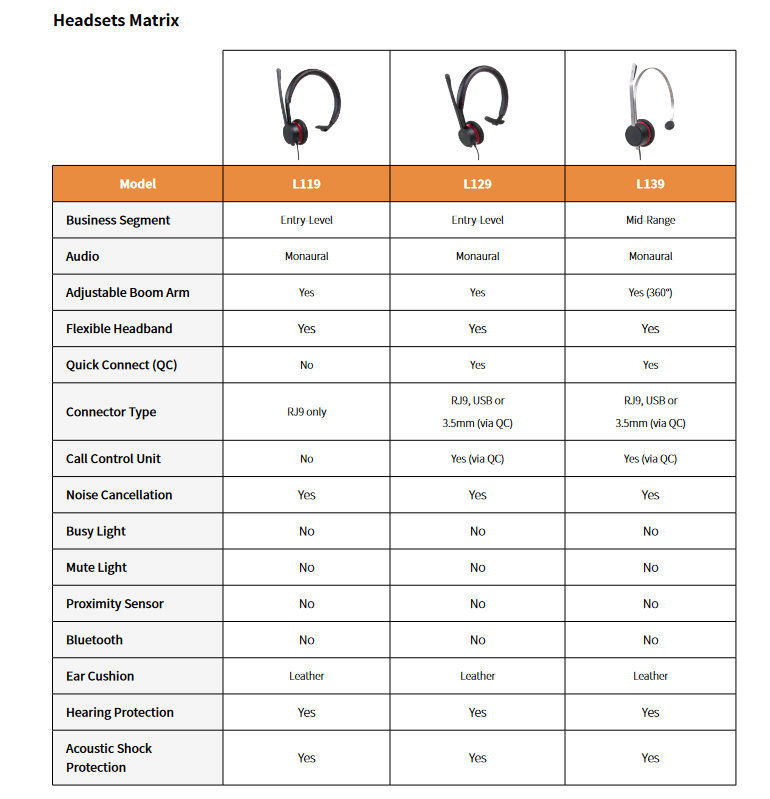
- Avaya: Contact Avaya or your Sales rep to see the best offer for you. Please, check HERE the available Avaya headset options.
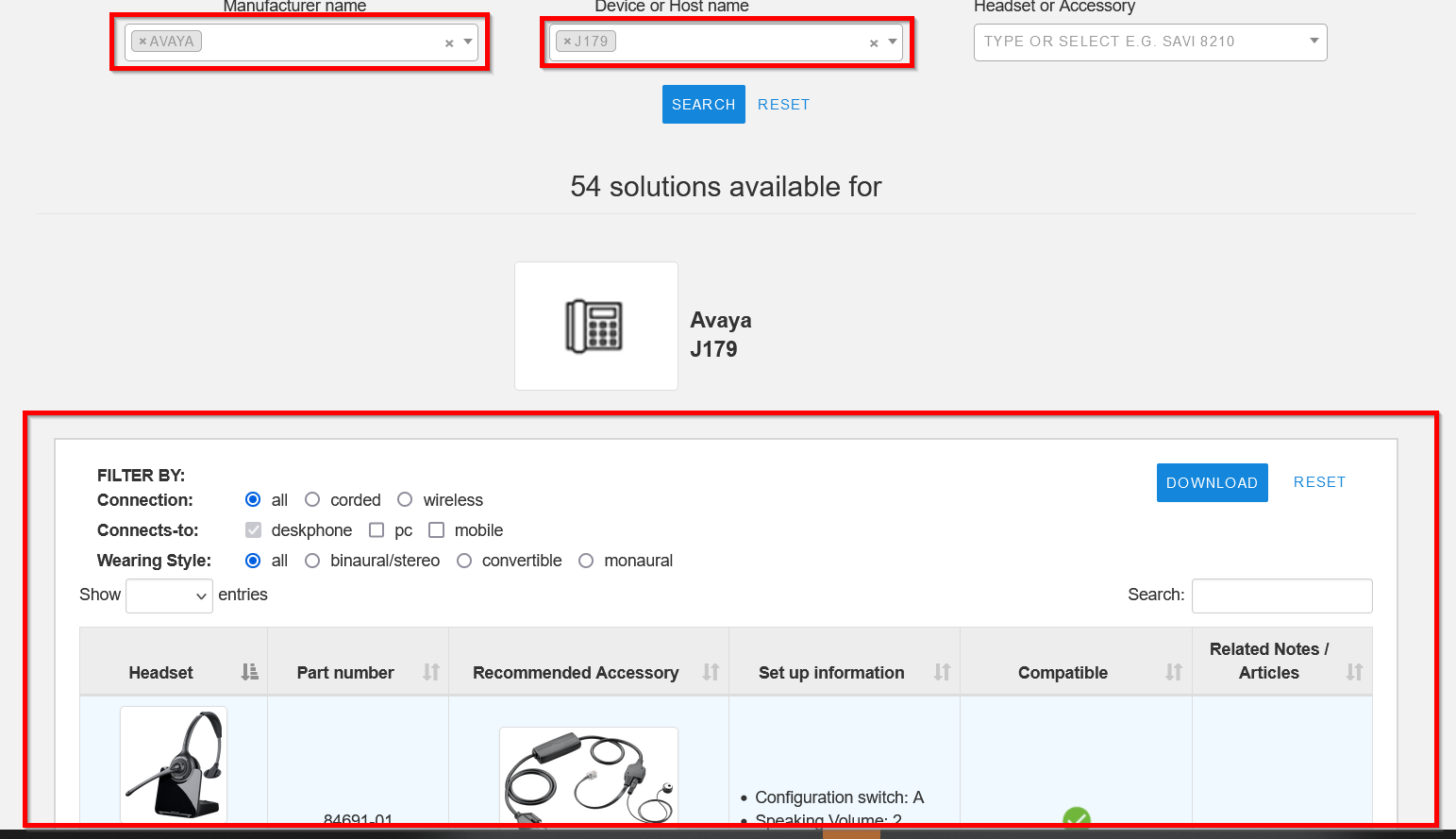
- Poly (Plantronics): Visit Poly website and filter for the device you are looking to integrate. In the example below, it was filtered by Avaya and J179 model. However, other options for filtering are available.
- Jabra: Visit Jabra web site and from the search bar, type the device you are looking for integration. In the example below, it was used "Avaya J159"
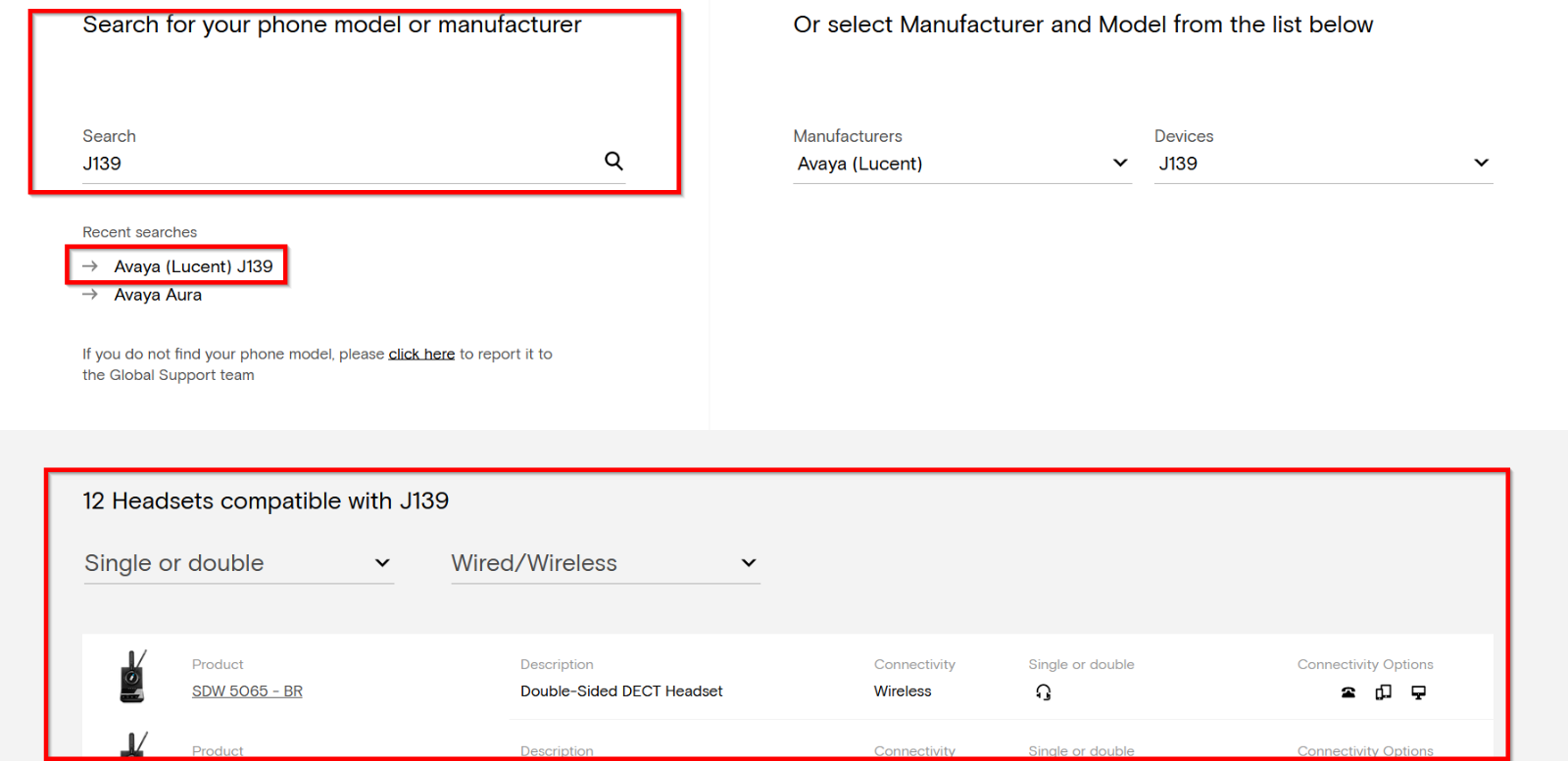
.png) EPOS: Visit EPOS web site and from the search bar, type the device you are looking for integration. In the example below, it was used "Avaya J139"
EPOS: Visit EPOS web site and from the search bar, type the device you are looking for integration. In the example below, it was used "Avaya J139"
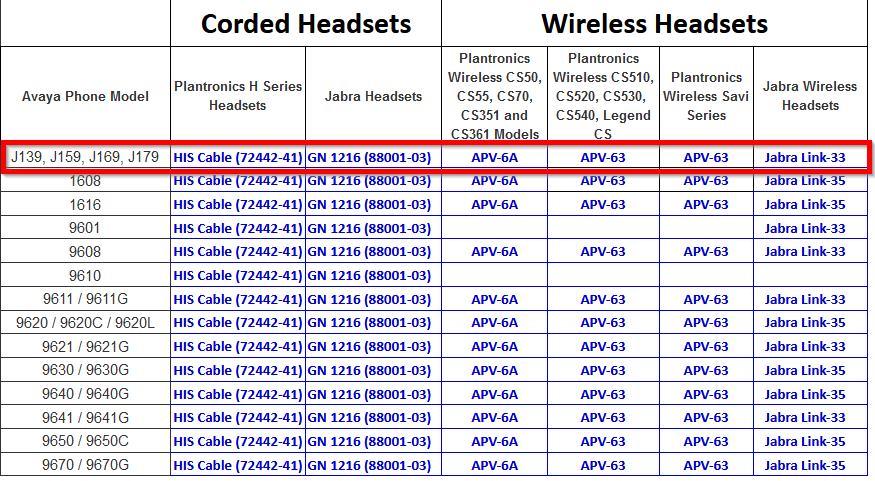
- Headsetplus: Another alternative is reaching out to Headsetplus for checking options for headsets
 __PRESENT
Additional Relevant Phrases
Headset
Headphone
ACO
Jabra
EPOS
Plantronics
Poly
Compatibility
Headset Compatibility
Headphone Compatibility
Deskphone
J139
J159
J169
J179
Attachment Description
__PRESENT

