 |
 |
 |
 |
 |
 |
 |
 |
 |
 |
DEFINITY Made Easy Tools
Issue 2, November 2000
Test the System
Test Duplicated Switch Processing Element Interchange (if duplicated)
- If Multi-Carrier Cabinet, type
status system
cabinet number <1-44>
and press
Enter.
or
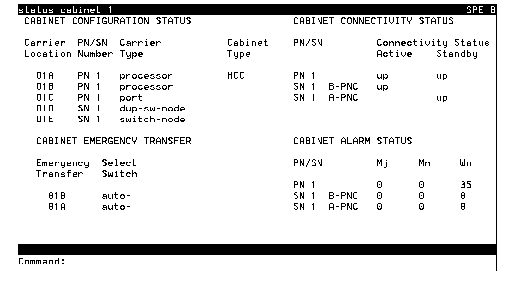
If Single-Carrier Cabinet, type status system all-cabinets and press Enter. - Verify the screen displays test results similar to Example System Status Report for All Cabinets.
- Note the MODE of SPE 1A and 1B.
- Type
refresh spe
- Type
reset system interchange
- Log in as craft again.
- Note the
MODE
The sytem will display Command successfully completed.
Example System Status Report for All Cabinets
|
|
|
|
|
|
|
|
|
|
| Copyright� 2000 Avaya Inc |
| Send comments to MadeEasy Development Team |
| Always check at the Made Easy Web site for the most current information. |