Attendant Console Example���
Task List: Attendant Console Procedures
Attendant Console Cabling Distances, Local
and Phantom Power���
A console's maximum distance from the media gateway is limited. The maximum distance for a 302D console is as shown in Attendant Console Cabling Distances.
Attendant Console Cabling Distances �
| Enhanced Attendant Console (302D) |
24 AWG Wire
(0.5106 mm2) |
26 AWG Wire
(0.4049 mm2) |
| Feet |
Meters |
Feet |
Meters |
| With Selector Console |
| Phantom powered |
800 |
244 |
500 |
152 |
| Locally powered |
5000 |
1524 |
3400 |
1037 |
| Without Selector Console |
| Phantom powered |
1400 |
427 |
900 |
274 |
| Locally powered |
5000 |
1524 |
3400 |
1037 |
Auxiliary Power
CAUTION: Do not use the 329A power unit for the attendant console.
The nonessential functions of an attendant console and its optional 26A1 or 24A1 selector console derive their power from an auxiliary power source. Of the maximum of 27 attendant consoles, 3 of the consoles can derive auxiliary power from the media gateway and through the auxiliary cable located in the trunk/auxiliary field. Provide auxiliary power for a primary attendant console through this cable so the console remains fully operational during short power outages.
An attendant console can also derive auxiliary power from:
- Individual 1151A1 or 1151A2 power supply
- 258A-type adapters
- Bulk power supplies such as the 1145B2
A console's maximum distance from its auxiliary power source is:
- 800 feet (244 meters) for a 302A1
- 350 feet (107 meters) for a 301B1 and 302D
Hard-Wire Bridging
Analog type hard-wire bridging is not allowed for any DCP endpoints. Hard-wire bridging provides no way of combining the digital output of two bridged DCP sets. Also, a bridged endpoint causes degradation of the DCP signal.
CAUTION: Bridging or paralleling these endpoints can cause electrical damage to the consoles or cause the circuit pack to remove power from the consoles.
Dual Wiring of 2-Wire and 4-Wire Endpoints
Do not simultaneously wire a 2-wire and 4-wire endpoint to the same equipment location in an MDF. The Avaya configurations use separate circuit packs to interface 2- and 4-wire endpoints.
Install the Attendant Console���
- Install the attendant console and connect the modular cord to the information outlet.
- Install labels per the attendant console form and the Display Module form assignments.
- Install a digital line circuit pack in the assigned carrier slot (if an additional circuit pack is required).
- Administer the forms listed in "Attendant Console" in Administrator's Guide for Avaya MultiVantage Software.
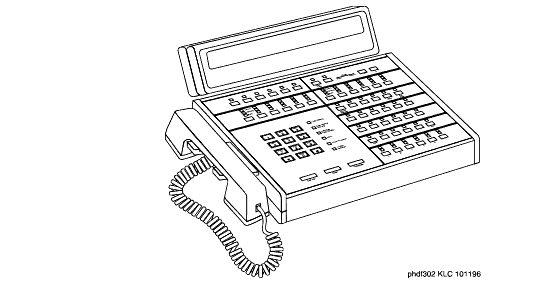
302D Console
Install the 26B1 Selector Console���
- Connect the supplied 3-foot (1 meter) D8AC cable to the modular jack on the bottom of the 26B1 Selector Console.
- Route the cable to the attendant console and connect to the DXS/BLF jack.
- Attach labels according to the Attendant Console form.
- Administer the console using Administrator's Guide for Avaya MultiVantage Software.

